How to check your SFI26 payment estimate for each field
Use the SFI payments page in AgriSync to see a rough yearly SFI26 estimate per field. Tick the actions you have and browse all 71 actions and rates.
Last checked against gov.uk
- Written by
- The AgriSync team
- Published
- Reading time
- 3 minutes
Estimates use the published SFI26 rates for England. They are not an RPA offer.
In short
Open SFI payments in AgriSync. You see a rough yearly estimate for the SFI26 actions each field could take. It uses Defra's published rates and your field sizes. Press Show actions on a field. Tick the ones already in your agreement and the totals change. These are estimates only, so check with the RPA before you apply.
What you need
- Your fields set up in AgriSync, each with an area
- The crop set on each field, so AgriSync knows which actions fit
- To be the farm owner or a farm manager, if you want to change the ticks
Steps
- 1
Open SFI payments
In the menu, under SFI, choose SFI payments. No fields yet? Press Map a field first.
- 2
Read the three totals
At the top, Potential per year shows what your fields could still earn from SFI26 actions. Already claimed is the yearly value of the actions you've ticked. Combined annual value adds the two together. It stops at £100,000 a year per SFI26 agreement.
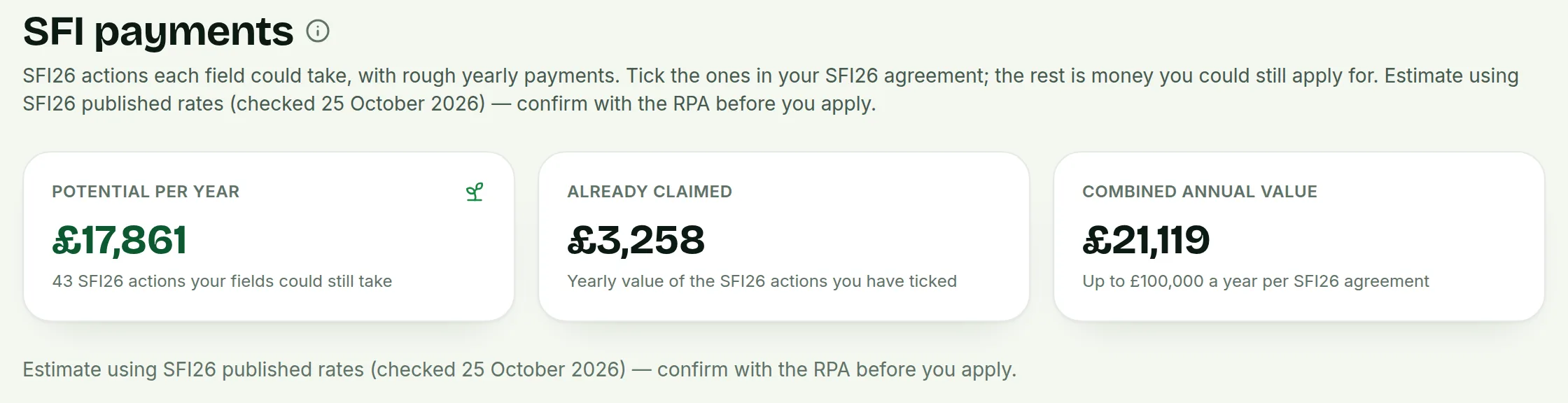 Tap to see the whole screen(opens the full-size picture)
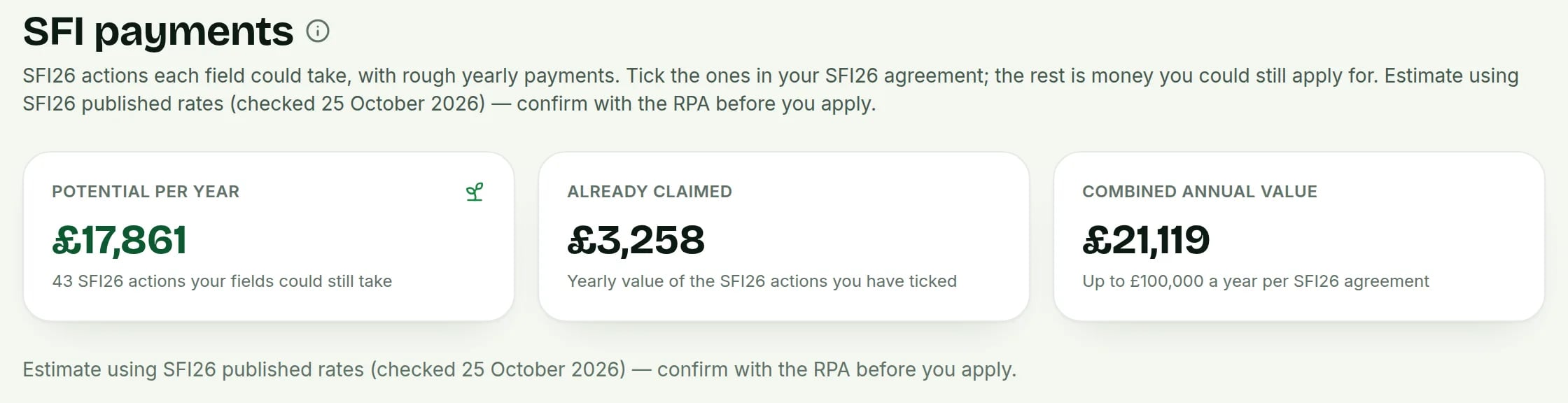
Demo farm in the AgriSync test environment. - 3
Check any warnings
Under the totals you may see a warning. It shows for a farm with less than 3 hectares of farmland. It also shows when an estimate is over the £100,000 SFI26 limit. Then AgriSync shows the figure cut to the limit.
- 4
Open a field's actions
Under Field options, each field shows its farm, area, crop and Could claim a year. Press Show N SFI26 actions to see the actions that fit that field. Each has its code, group, rate and estimate. Do you see "No priced SFI26 actions match this field's crop yet"? Then set the field's crop first (see set a crop and season).
- 5
Tick the actions you already have
Tick each SFI26 action that's already in your agreement for that field. It shows You claim this and moves into Already claimed. Untick it to undo. Only the account owner or a farm manager can change ticks.
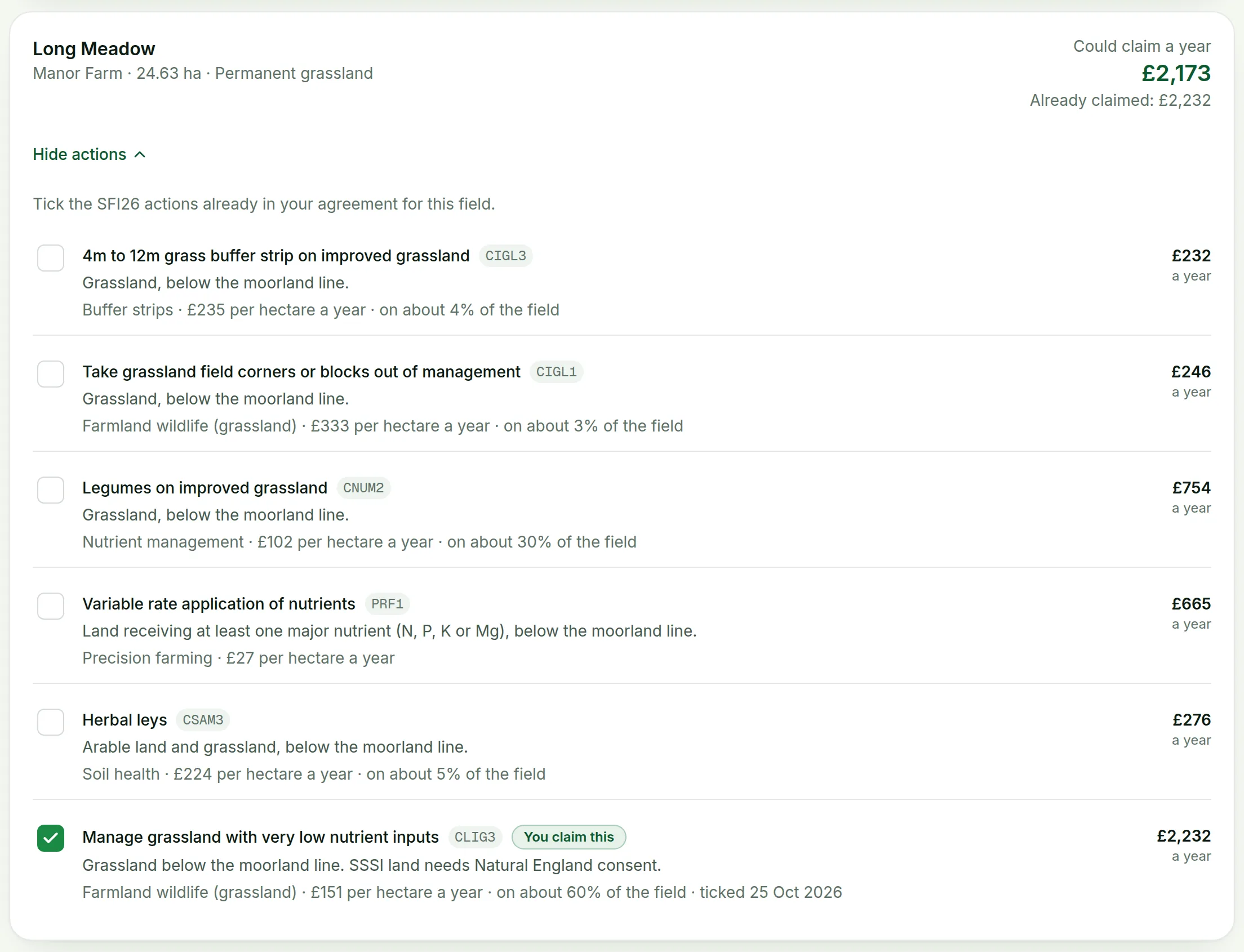 Tap to see the whole screen(opens the full-size picture)
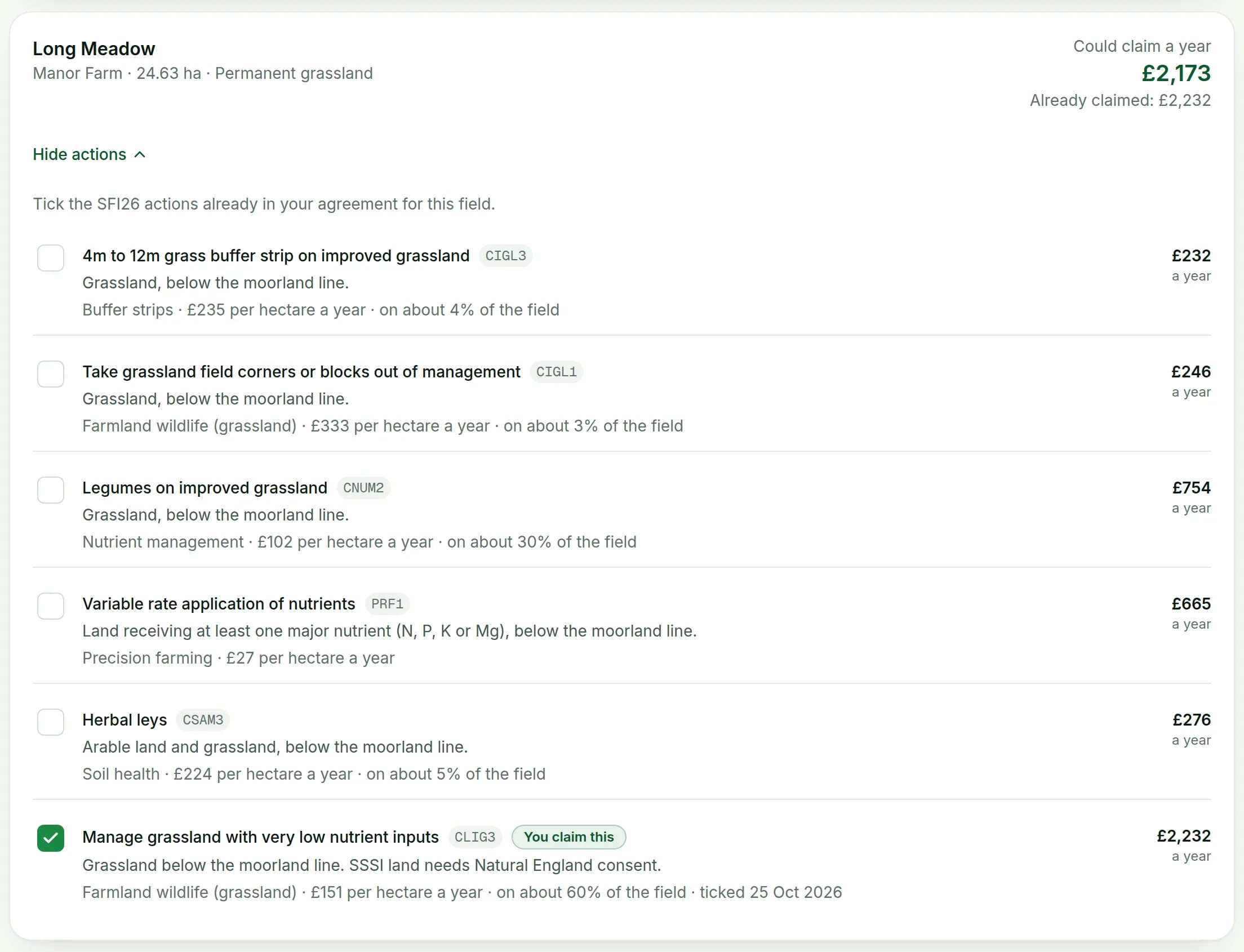
Demo farm in the AgriSync test environment. - 6
Browse every action and rate
At the bottom, open All 71 SFI26 actions and rates. You see every action by group. Each shows where it can go, its rate and links to GOV.UK.
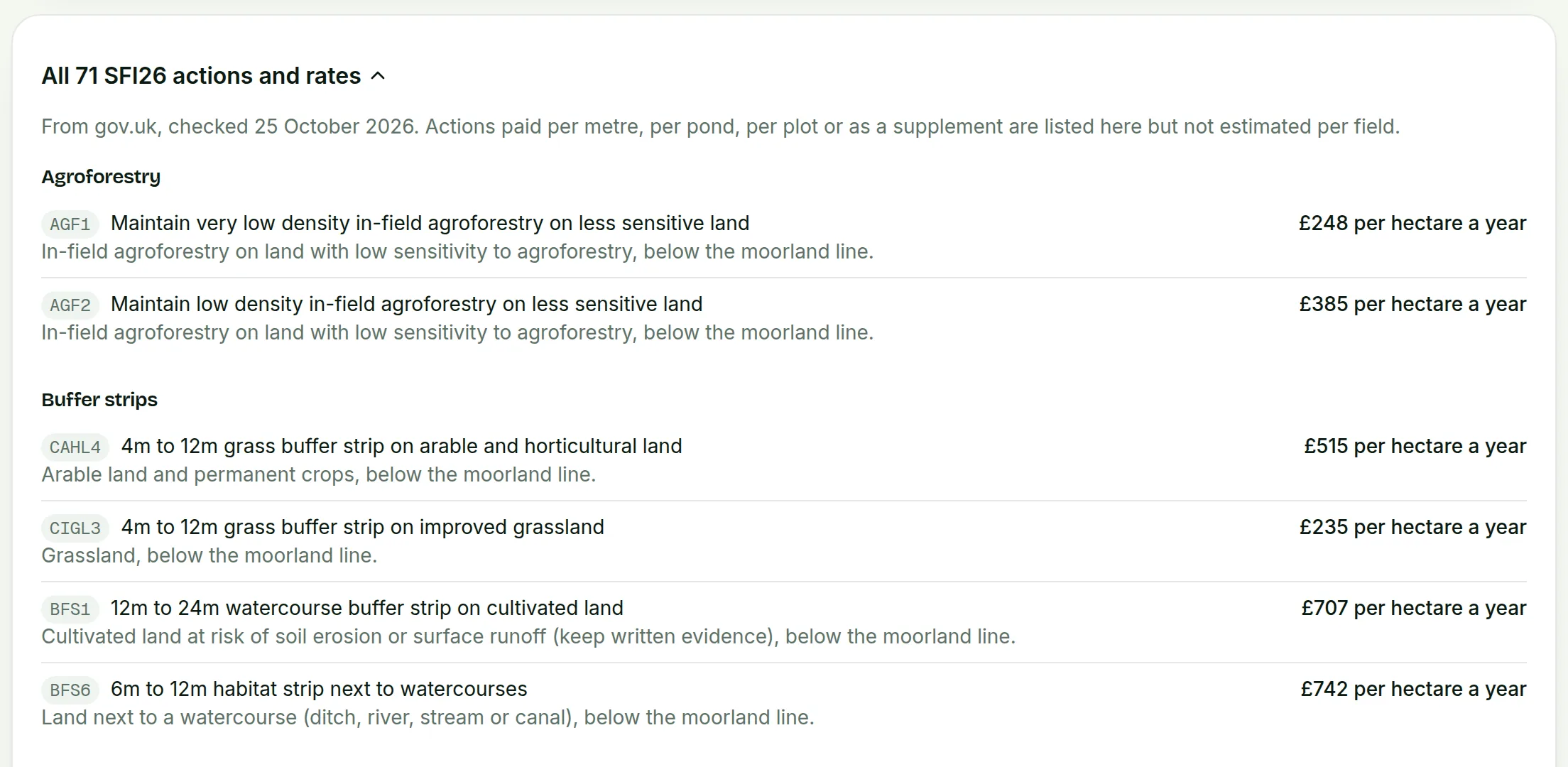 Tap to see the whole screen(opens the full-size picture)
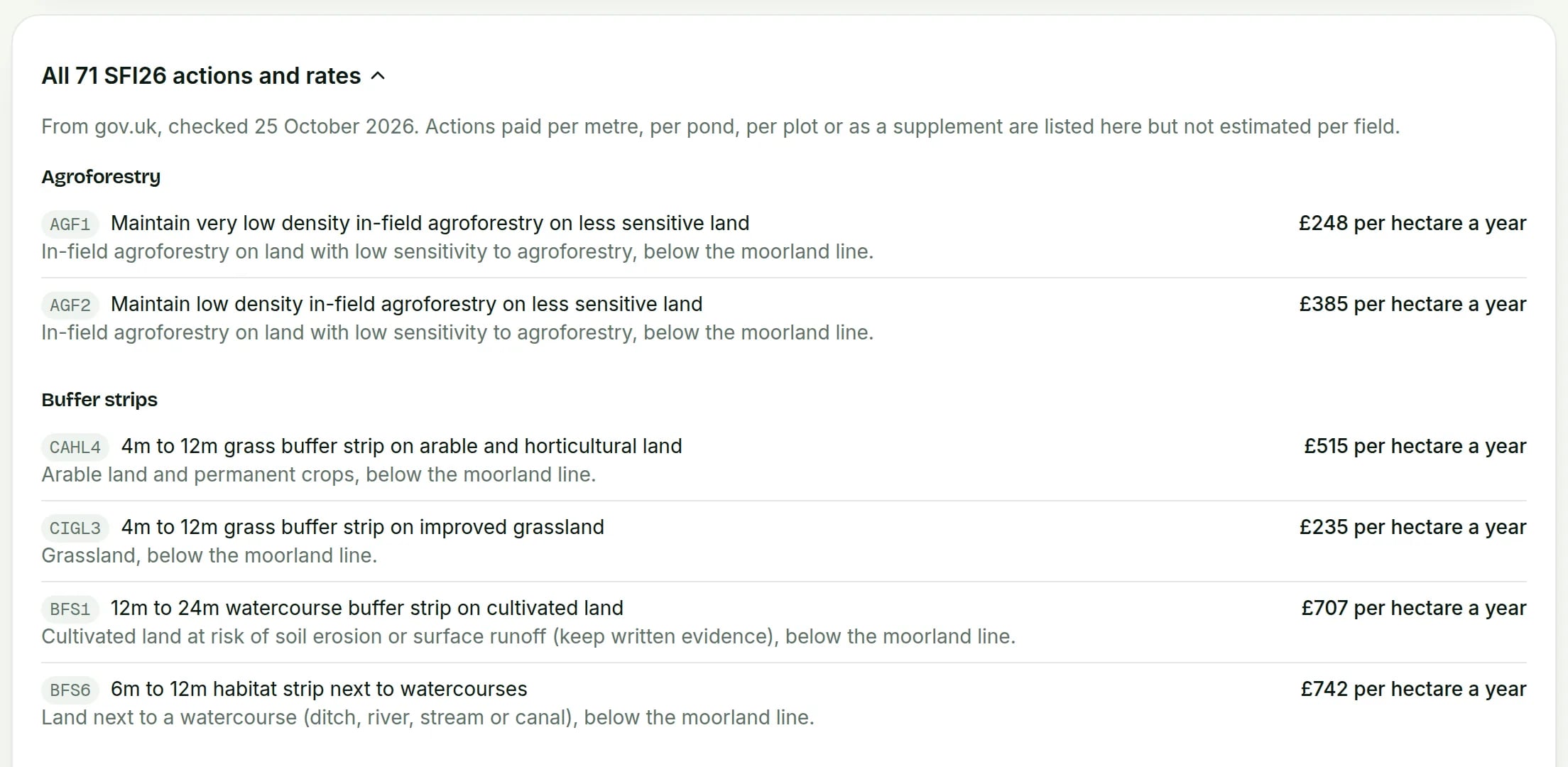
Demo farm in the AgriSync test environment.
How does AgriSync work out the estimate?
Each action is priced at its SFI26 rate, times the field's area, times a typical share of the field. For example, a flower strip covers only a small part of a field. So it's priced on that part, not the whole field. Actions with an area limit are kept within 25% of each field. Rates come from the SFI26 scheme rules (opens in a new tab) and SFI26 actions (opens in a new tab) on GOV.UK.
Some actions are paid per metre, per pond, per plot or as an extra. Hedgerows (CHRW2) and skylark plots (AHW4) are examples. They are listed in All 71 SFI26 actions and rates, but not estimated per field. Work those out from your own measurements. See SFI26 payment rates explained.
What about my older SFI 2023 or 2024 agreement?
Ticks from an older SFI 2023 or 2024 agreement show on their field, but you can't change them. They aren't SFI26 actions, so they're not in the totals.
Common questions
Why is a field showing no SFI26 actions?
Usually its crop isn't set, so AgriSync can't tell which actions fit. Set the crop on the field and the actions appear.
Can a worker on my team tick actions?
No. Workers can see the page. Only the account owner or a farm manager can change the ticks.
Is SFI26 still open?
No. SFI26 is closed for applications. The page helps you check what you already have. It also helps you plan for a future offer.
Sources
Every source was checked on 25 October 2026. If something has changed, tell us at info@agrisync.co.uk.
- 1.SFI26: scheme rules and guidance (opens in a new tab), GOV.UKv4.0, August 2026 (page updated 23 September 2026)
- 2.SFI26 actions (print version) (opens in a new tab), GOV.UKv2.0, June 2026 (page updated 23 September 2026)
Keep going
How-to guides
Read next
In AgriSync
Try it on your own farm
Free during early access. Start on your own, or we'll phone you and set up your fields with you.