
Your SFI to-do list, field by field
How it works
In the web app and the phone app. In the Android app you can record your SFI agreement, add proof and tick jobs done. Changing the actions on an agreement is in the web app only for now.
Add your fields
Type your SBI. Your fields arrive from the RPA, matching their outlines.
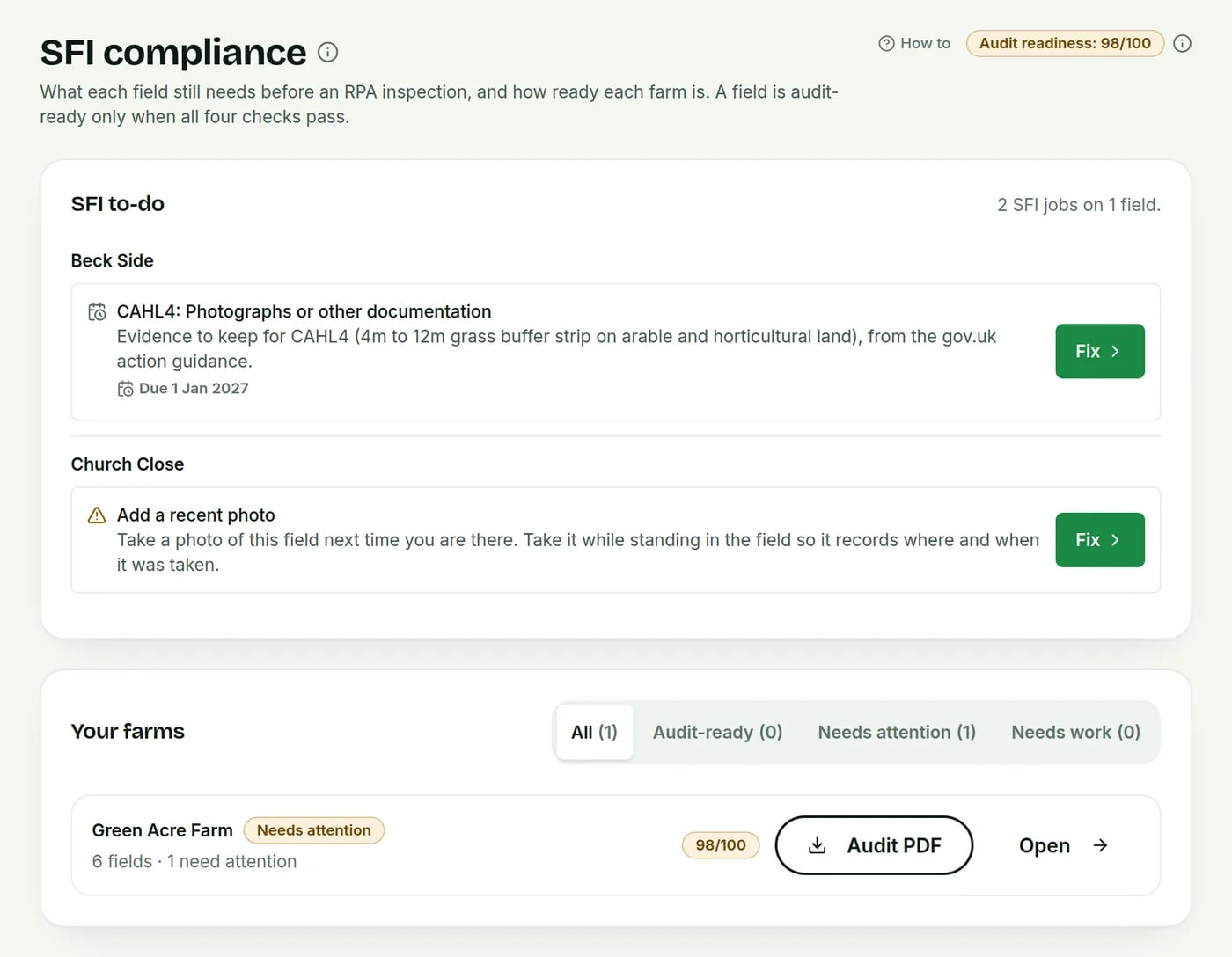
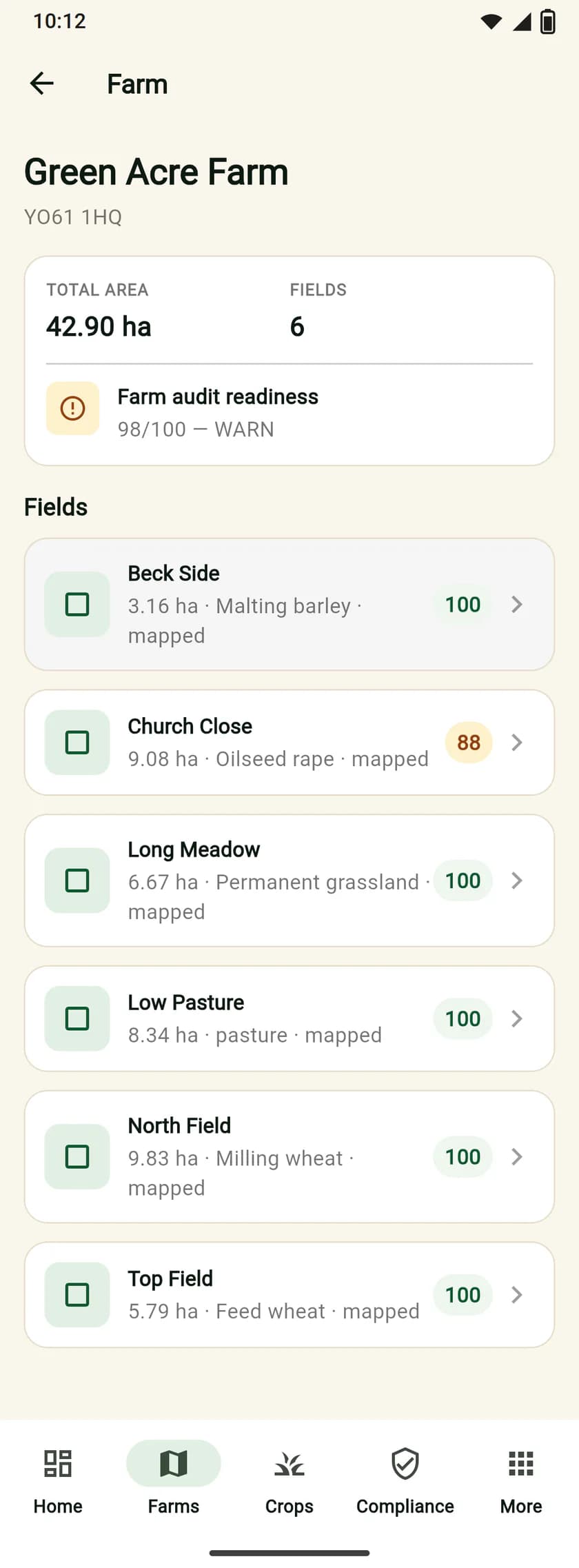
AgriSync checks each field
On the map? Area right? A recent photo taken inside it?
Work through the to-do list
Anything missing goes on a list. Fix it, the score goes up.
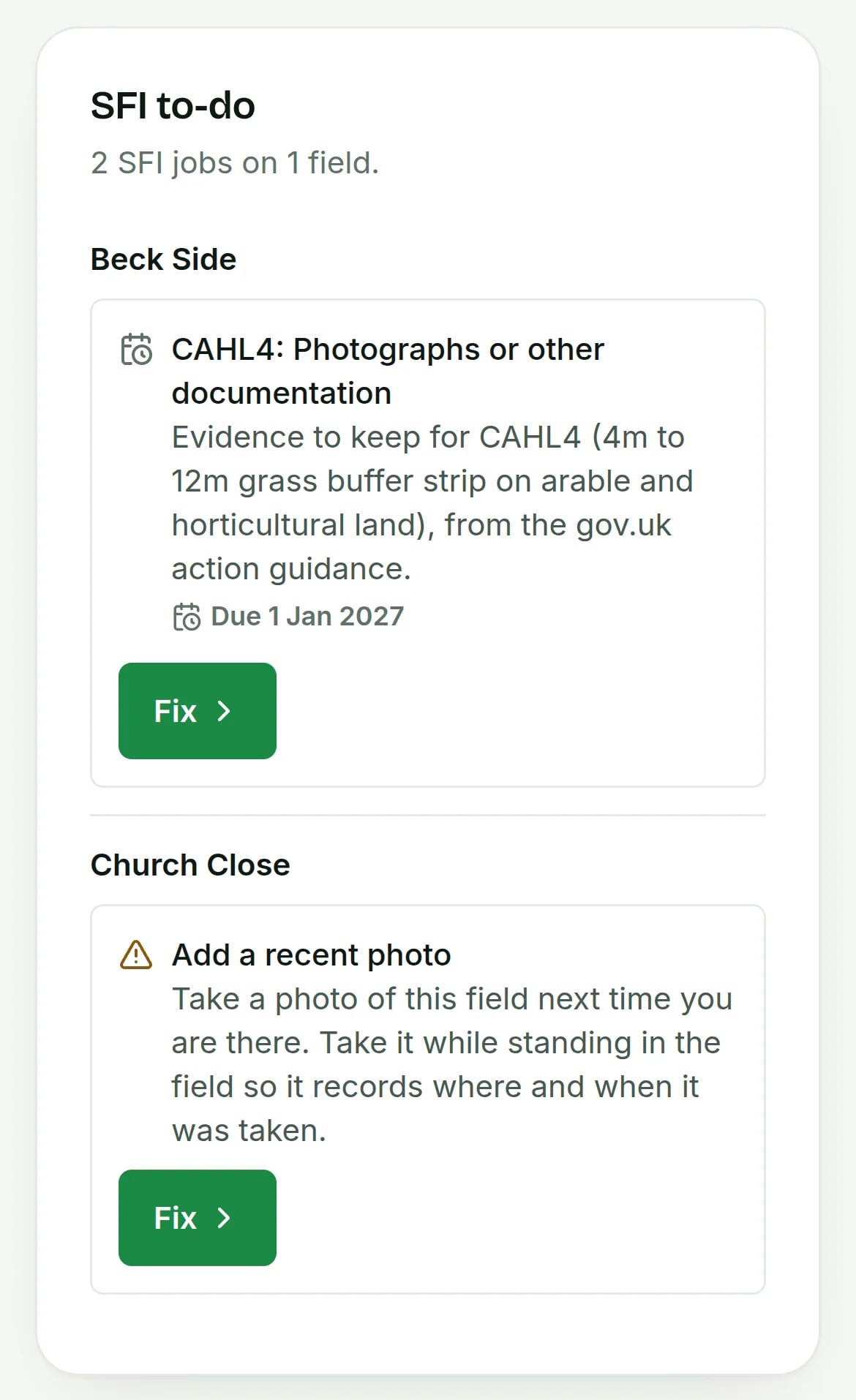
My SFI agreement: your own record, with dated jobs
New in the web app and the Android app. It is your record in AgriSync. Your agreement with the RPA is not changed, and nothing is sent to them.
- Record it in 4 stepsAgreement reference, start date, actions, then the fields for each.
- Dated jobs from the guidanceUp to three dated jobs per action and field, from gov.uk guidance.
- Proof on each jobLink a photo or file to a job and tick it done.
- History and audit PDFEvery change is kept. The audit PDF lists actions, jobs and proof.
Common questions
What can I do with SFI compliance in AgriSync?
AgriSync checks every field for what an RPA (Rural Payments Agency) inspector looks for. Anything missing goes on a to-do list. Each farm gets a score that shows how ready it is, and which field to fix first.
What do I need to use it?
Your SBI (Single Business Identifier, your Rural Payments number). A phone with a camera, for field photos. Your SFI actions, if you already have an agreement. Your SFI agreement reference and start date, to record your agreement. It is free during early access.
Is this the same as the RPA's own checks?
No. AgriSync looks for the proof an inspector usually asks for. It follows Defra's published SFI26 guidance. It can't tell you what the RPA will decide. But it shows where your records are thin.
Does AgriSync submit anything to the RPA for me?
No. With your permission, AgriSync reads your fields from the RPA and keeps your records. You still apply and claim through your Rural Payments account.
Does recording my SFI agreement change it at the RPA?
No. My SFI agreement is your own record in AgriSync. It is not sent to the RPA or checked against their records, and your agreement with the RPA is not changed. Use it to plan the jobs and keep the proof together. It works in the web app and the Android app. Changing the actions on an agreement is in the web app only for now.
Can my agent see the to-do list?
Yes, if you say so. Share the farm with them on the Advisers page, then press Allow compliance and evidence. They see the to-do list, field checks and evidence, read-only. You can stop it at any time.
Read more
Free during early access
Try it on your own farm
We'll phone you and set up your fields with you, or you can start on your own. No card needed.