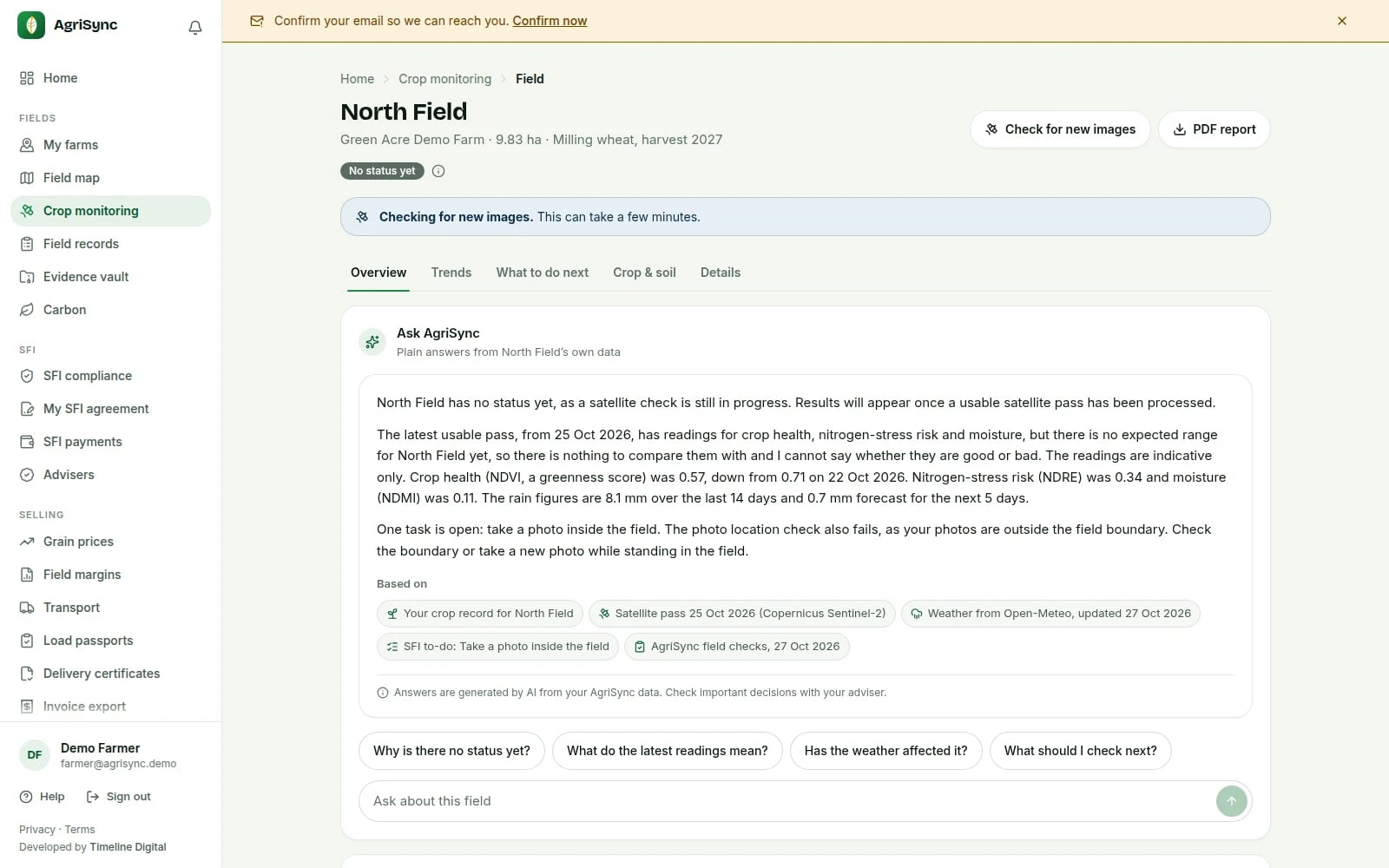
Ask AgriSync: plain answers from your own records
How it works
In the web app and the Android app.
Explain a field
Press Explain this field, or tap a ready-made question.
Ask about an SFI action
Open any SFI26 action: what evidence it needs, where, what it pays.
Get an inspection summary
One page of photos, sign-offs and open SFI jobs, as a PDF.
How we keep it honest
- Your records onlyUses your farm records and SFI26 text. Says so if something's missing.
- It shows its sourcesEach answer lists what it's based on, like weather or gov.uk text.
- No spray or dose adviceTreatment, product or rate questions go to your adviser.
- Checked before you see itNumbers not in your records are swapped for a plain message.
- Names stay outNames, contacts, postcodes, farm name and SBI are removed first.
- Advisers see only what you shareAdvisers get answers only on what you share with them.
Common questions
What can I do with Ask AgriSync (AI helper) in AgriSync?
Ask AgriSync explains things in plain English, using only your farm's records in AgriSync. Ask why a field looks the way it does, what an SFI26 action needs, or for a one-page inspection summary. Every answer shows what it is based on, such as a satellite pass or the gov.uk action text. It never tells you what to spray or how much.
What do I need to use it?
Your farm and fields in AgriSync. A question of up to 300 characters, if you want to type your own. It is free during early access.
Which AI does it use?
Claude, made by Anthropic, in the USA. Before a question is sent, AgriSync removes names, contact details, postcodes, your farm name and your SBI. AgriSync keeps no copy of your questions or answers, only a count of how much was used. See our privacy policy.
Can it tell me what to spray?
No. It never recommends sprays, products or doses. Ask your agronomist. If they send advice through AgriSync, you can accept it as a job in Field records.
Are the answers always right?
No AI is always right. That's why every answer shows its sources and says: check important decisions with your adviser. It also says when your records don't cover a question.
Is there a limit?
Yes. There is a daily limit on questions for each person and each farm account. The inspection summary's counts and lists still work when the limit is reached.
Is it in the phone app?
Yes, in the Android app: explain a field, ask about an SFI action and make an inspection summary. It also works in the web app, on a computer or in your phone's browser at app.agrisync.co.uk.
Free during early access
Try it on your own farm
We'll phone you and set up your fields with you, or you can start on your own. No card needed.