How AgriSync works
AgriSync works in three steps. First, bring in your fields from your SBI, or draw them. Second, take photos in the field with the phone app. Each photo saves where and when you took it. Third, see what each field still needs on your SFI to-do list. Then download one PDF for an inspector.
- 1
Bring in your fields
Type in your SBI (the 9-digit number on your Rural Payments account). Give permission, and AgriSync brings in your fields from the RPA's land data.
No SBI? Draw your fields on a satellite map instead. Then set the crop for each field.
Guide: Set up your farm from your SBI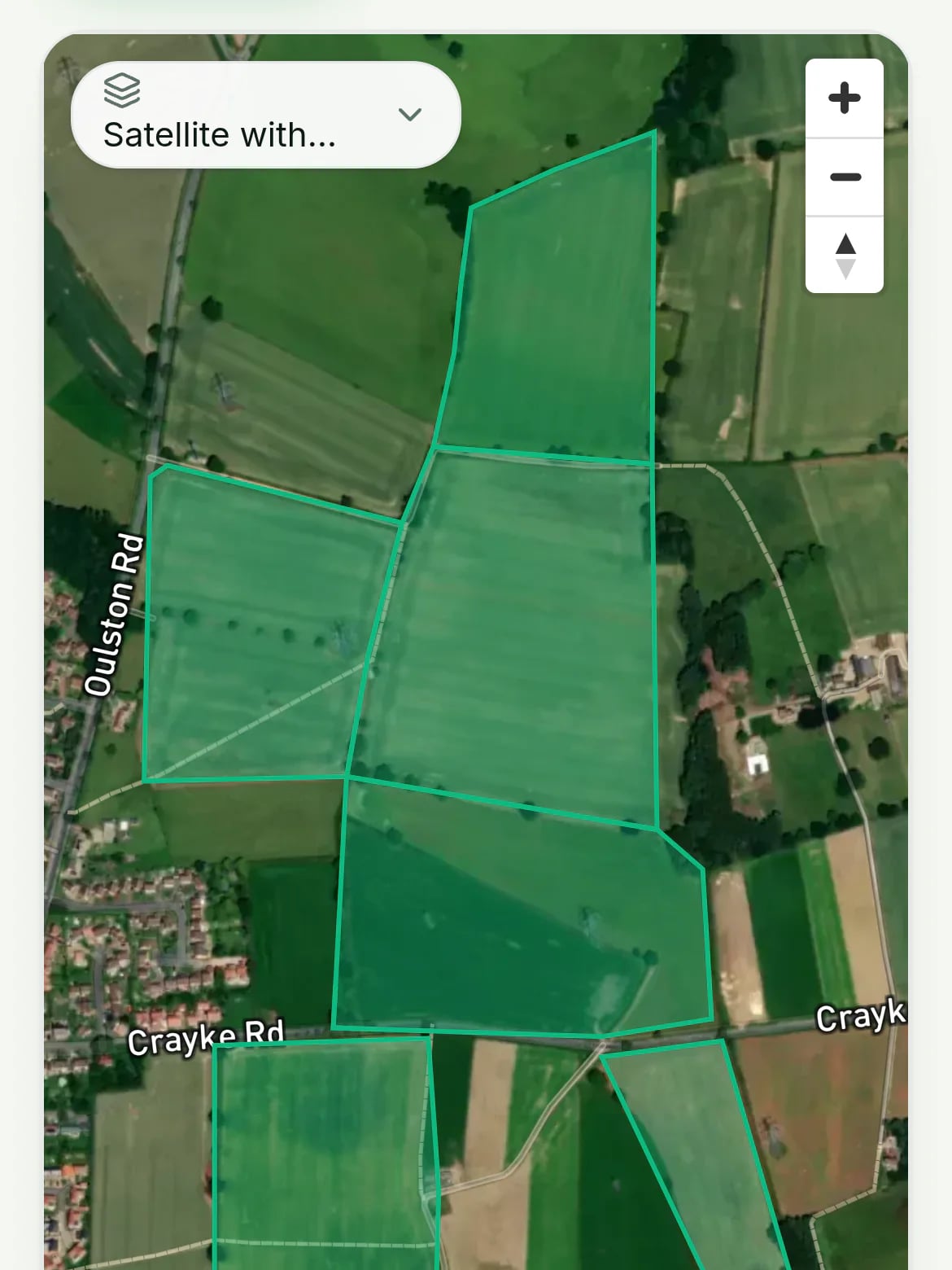
- 2
Take photos in the field
Open the field in the AgriSync phone app and tap Take photo. The photo saves where and when you took it.
AgriSync checks the photo was taken inside that field and files it there. No signal? The Android app keeps the photo and sends it later.
Guide: Take a field photo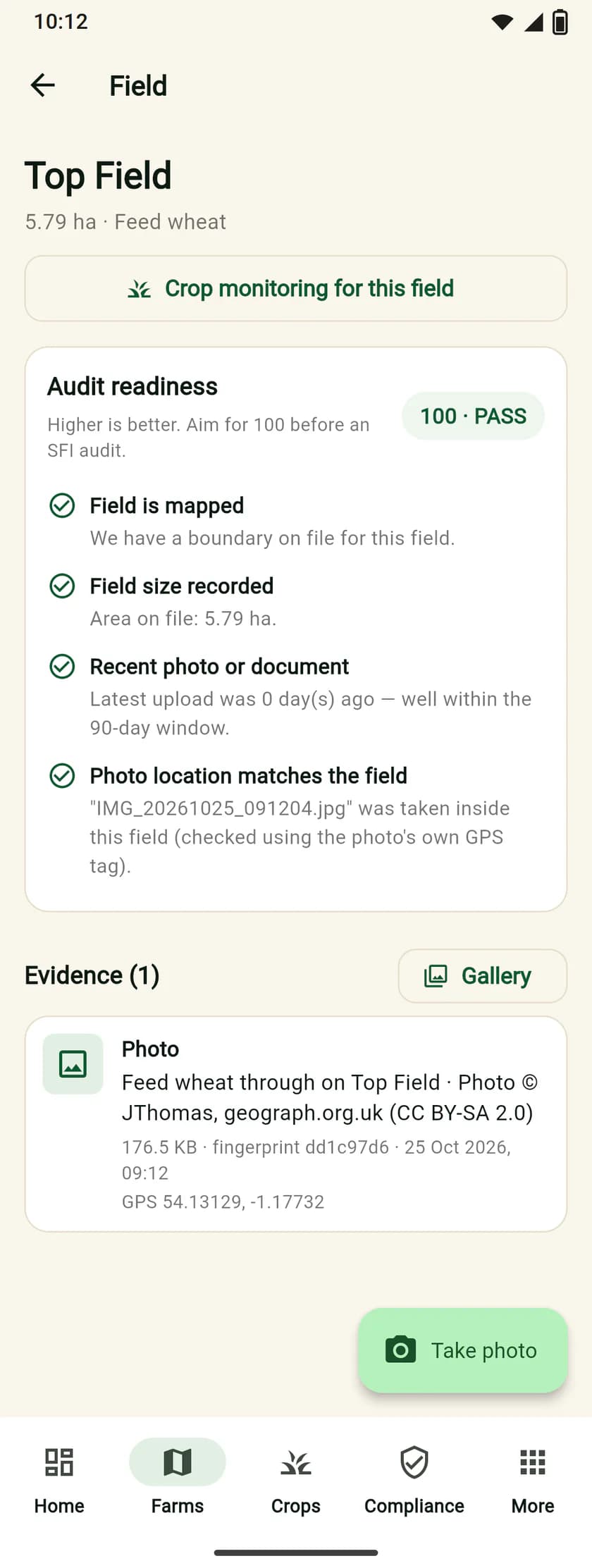
- 3
See what's left to do
Your SFI to-do list shows what each field still needs. Each job has a Fix button.
When an inspector or your agent asks, download one PDF with every field's checks and photos.
Guide: Read your SFI to-do list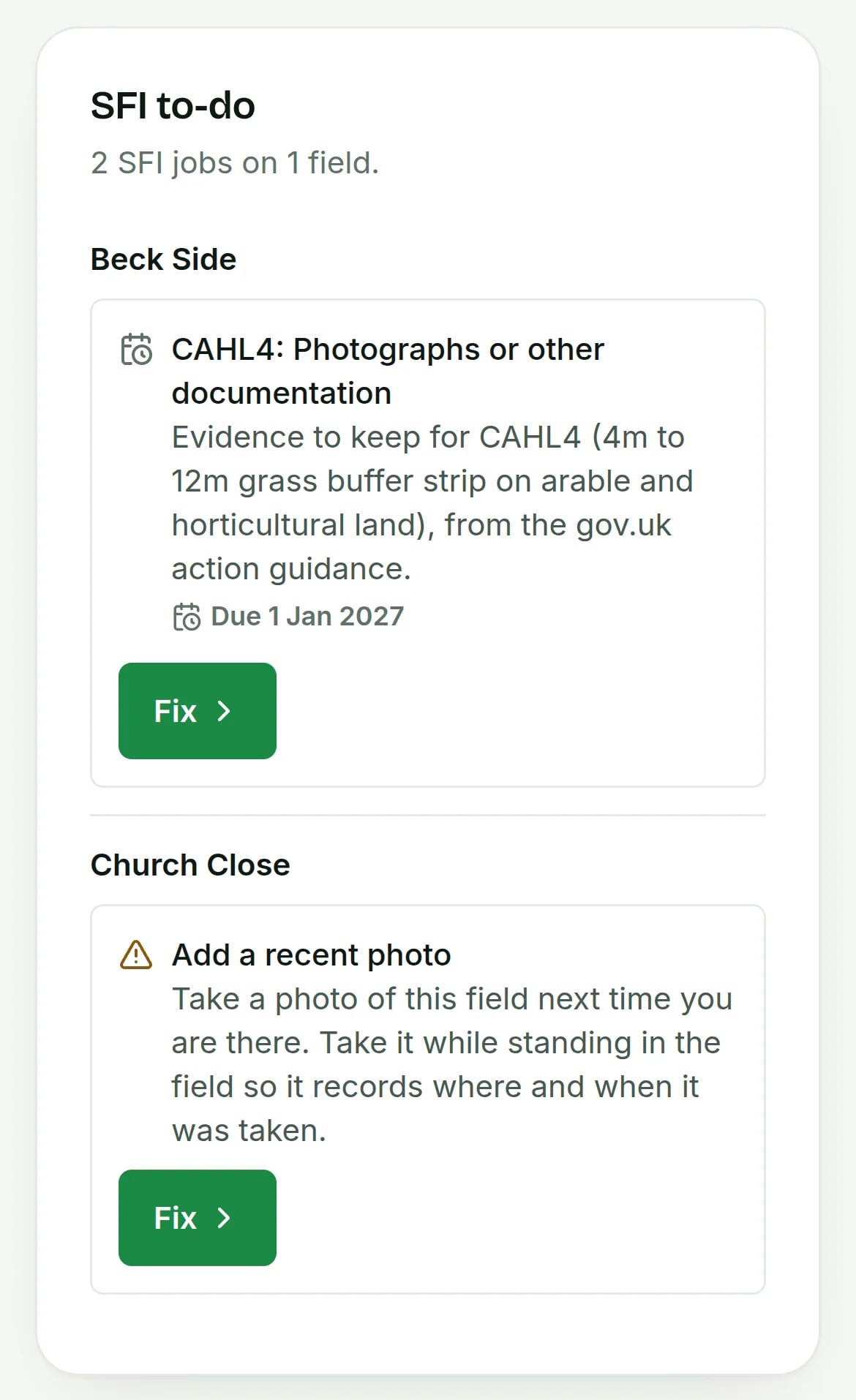
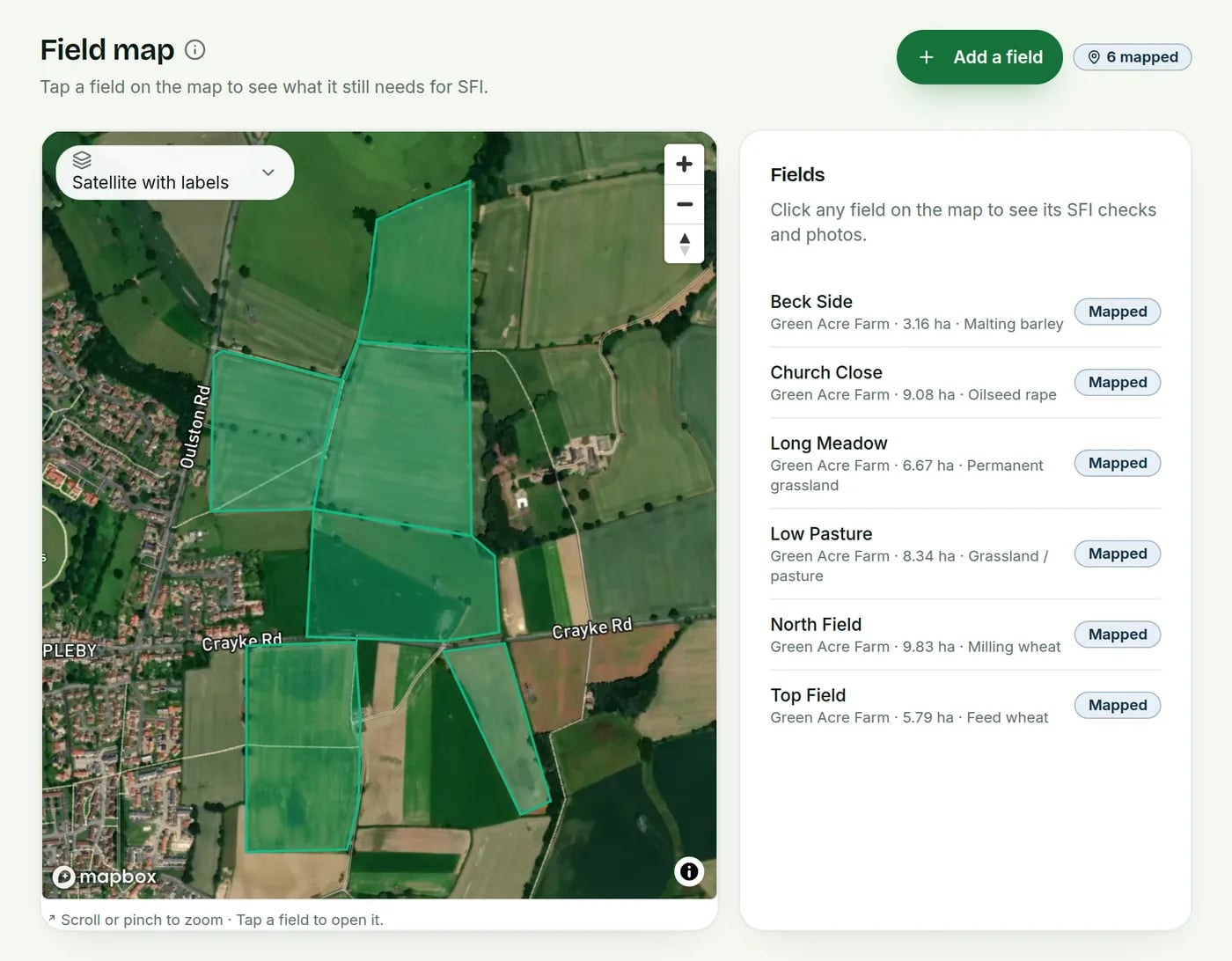
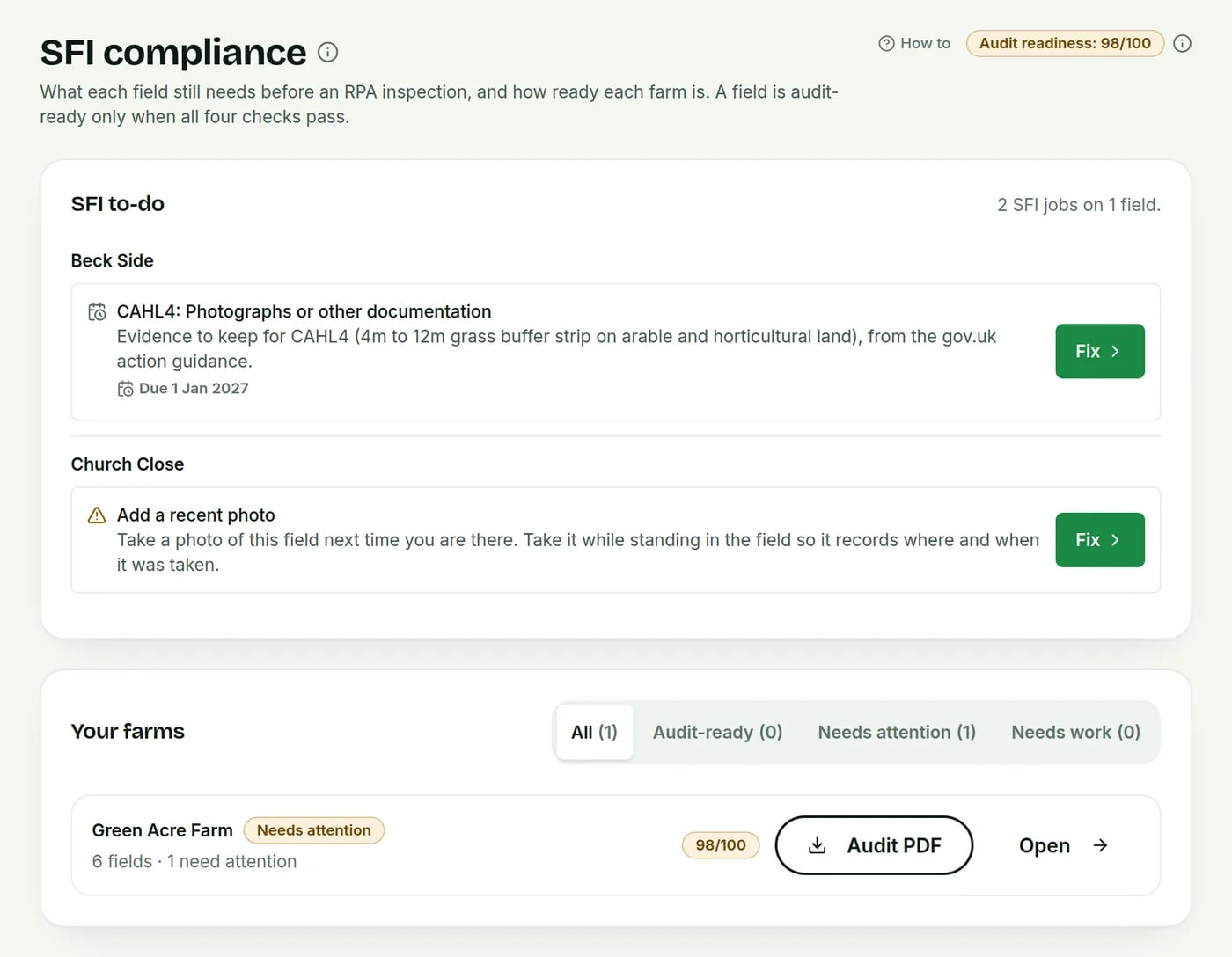
Real AgriSync screens, filled in with a demo farm. No real farm data is shown.
Who else can use it?
Your farm team
Photos and field jobs on their own phones.
Your agronomist
Only the farms you share. Take access back any time.
Your haulier
Books your load and proves delivery with a photo.
Stuck at any step? Our UK team helps by phone and email, Monday to Friday, 8am to 6pm. Get the phone app on the AgriSync app page.
Common questions
How do I keep evidence for SFI on my phone?
Take photos in the field that show the work, like a cover crop or a cut hedge. Keep your invoices too. In the AgriSync app, open the field and tap Take photo. The date and place are saved with it. It is filed to that field straight away. Keep evidence for at least 7 years.
Do SFI photos need GPS or a date on them?
Gov.uk asks for photos and other papers as evidence. Advisers say every piece of evidence should be dated. A photo that shows when and where it was taken is stronger proof. AgriSync saves both. It also checks the photo was taken inside the field you filed it to.
How do I get my RPA field maps on my phone?
Sign up to AgriSync. Type in your 9-digit SBI number and give permission. AgriSync brings in your field outlines from the RPA's land data, so you don't have to draw them. They then show on your phone and your computer. No SBI? You can draw your fields by hand. This works for land in England.
How do I know if my fields are ready for an RPA visit?
AgriSync's SFI to-do list checks each field four ways. Is it on the map? Is its size recorded? Does it have a photo or paper from the last 90 days? Was the photo taken inside the field? Anything missing shows with a Fix button. The score is our own check, not an RPA decision.
Does AgriSync send my SFI application to the RPA?
No. AgriSync never sends anything to the RPA. You apply, and make your yearly declaration, through the Rural Payments service. You can do it yourself or through an agent. AgriSync keeps your fields, photos and to-do list ready. It makes a PDF you can show the RPA or your agent.
Try it on your own farm
Free during early access. Start on your own, or we'll phone you and set up your fields with you.